Automatic Tracking ID
Give each submission a reference that is easy to share and find.
Case study · Document operations
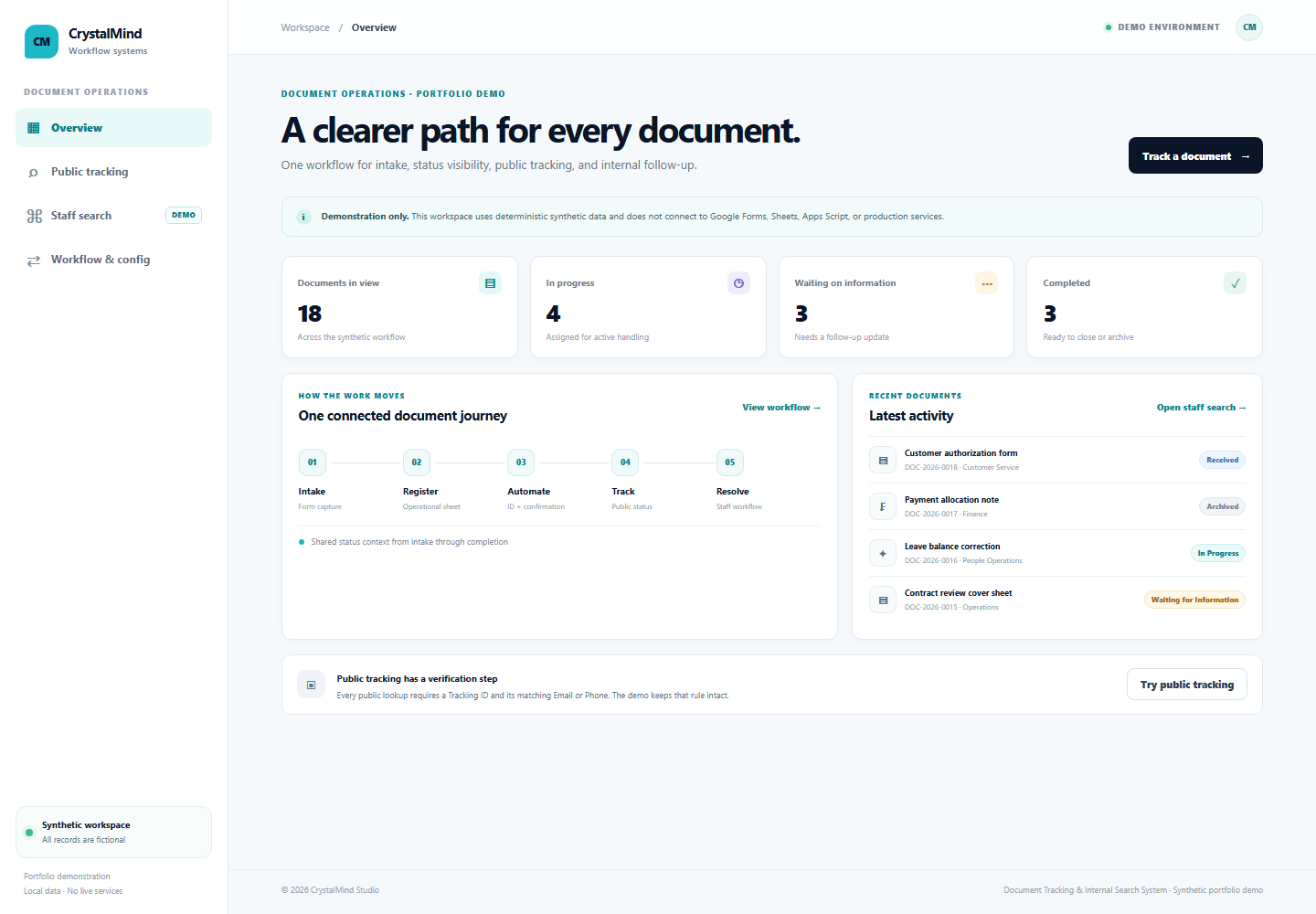
A document intake and tracking workflow with automated IDs, status visibility, public tracking, and authorized internal search.
01 · Project identity
A document intake and tracking workflow for teams that need a reliable reference from submission through resolution.
Built for back-office operations, HR and administration, finance processing, customer document workflows, and service teams.
02 · Hero proof
This PNG shows the synthetic overview. Use the interactive demo to explore the workflow and fictional records.
03 · Problem
When documents arrive through separate manual channels, teams can lose a shared view of what was received, who owns the next step, and whether information is still needed.
People then spend time repeating lookups and asking for updates because the reference and current status are not easy to find.
04 · Solution
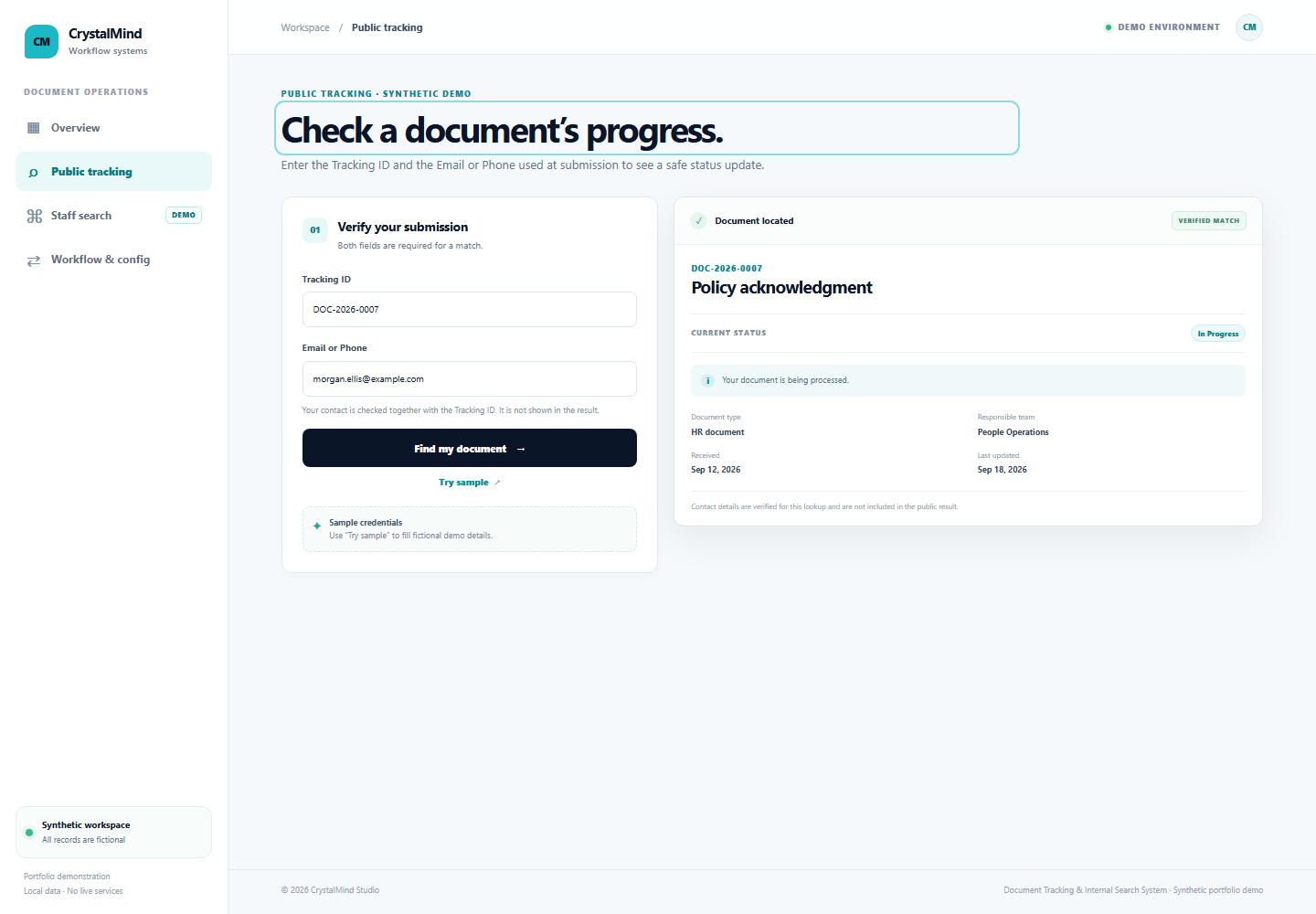
Centralized intake creates a Tracking ID, sends a confirmation, and gives the sender a verified way to check public status. Staff use a separate authorized search to find records and maintain status, responsibility, and receiver notes.
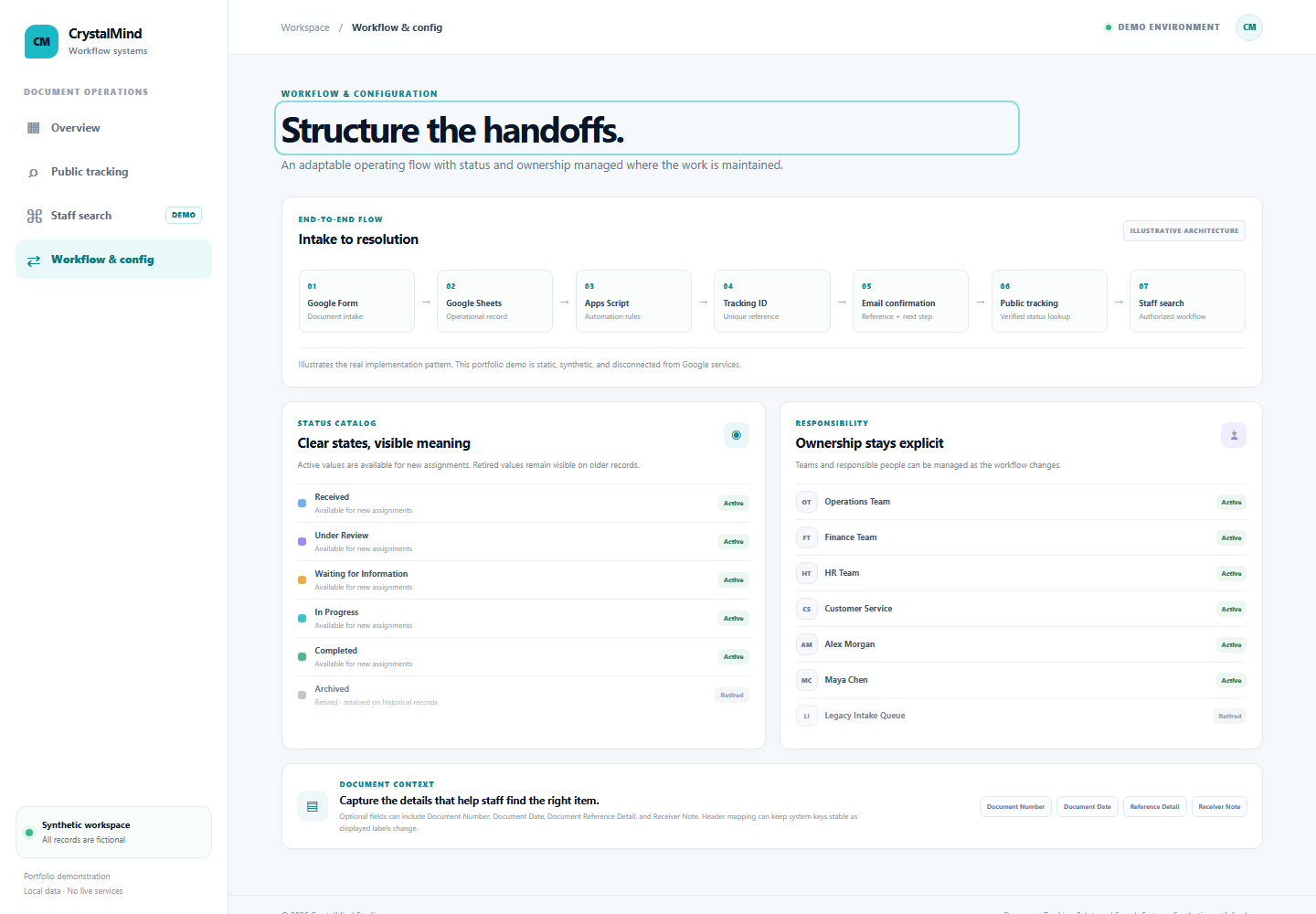
Configuration keeps workflow values adaptable while preserving historical values on older documents.
05 · Workflow
06 · Key features
Give each submission a reference that is easy to share and find.
Require the Tracking ID plus matching Email or Phone for a public lookup.
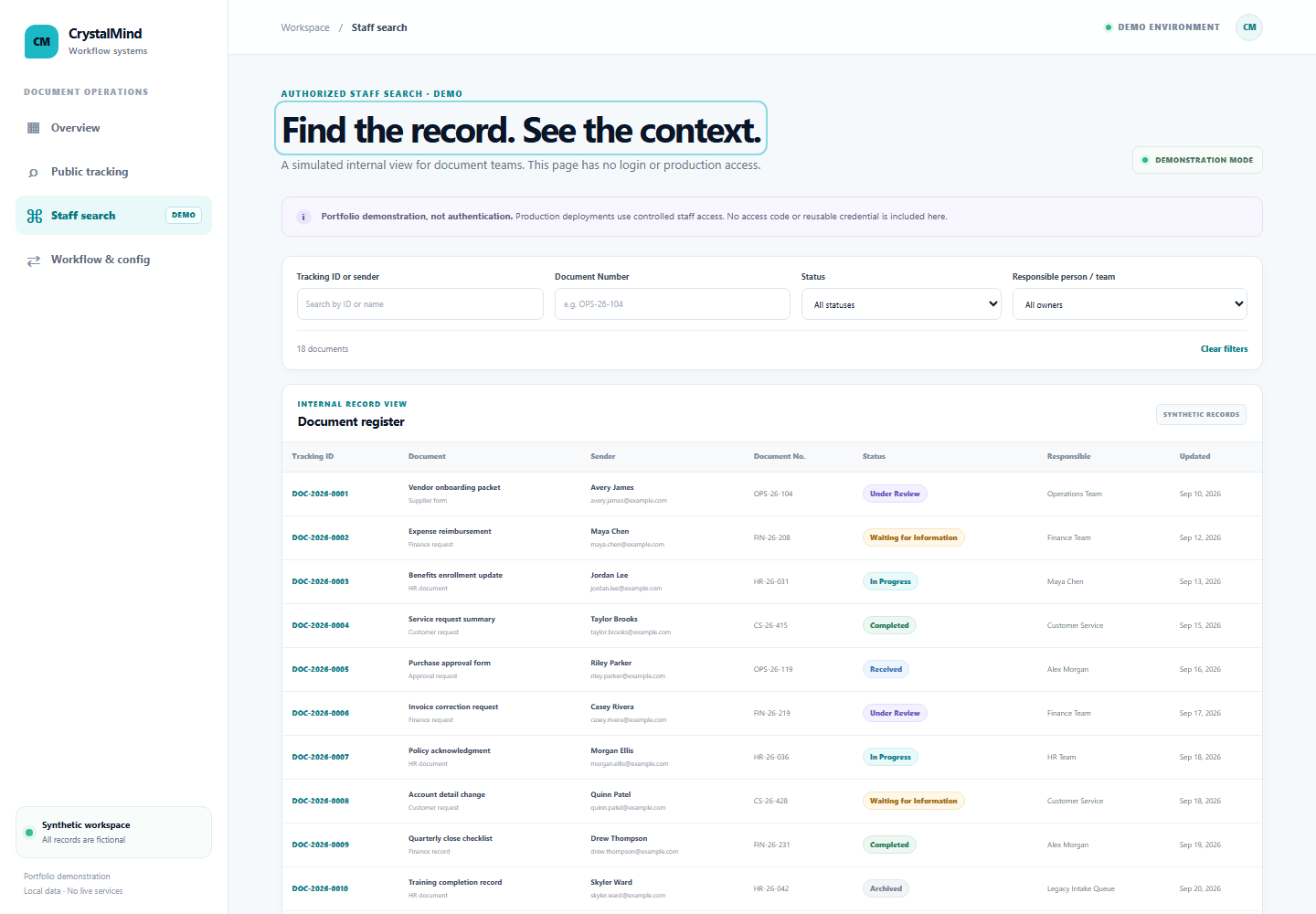
Give staff a separate way to find and review operational context.
Set status colors and active or retired states to reflect the workflow.
Assign a responsible person or team and retain historic assignments.
Search optional document number, date, reference detail, and receiver note.
07 · Visual proof
These PNGs show captured states from the synthetic demo, not production records. Use the links above to interact with the local demo.
08 · Business value
See where a document sits in its workflow.
Find records through a shared reference and searchable fields.
Keep a common status path from receipt to completion.
Make the next owner visible as work moves.
Maintain intake and operational updates in a shared system.
Help senders check progress without exposing internal records.
09 · My role
End-to-end workflow and system design and implementation experience across the data structure, automation logic, public tracking flow, internal search, configuration, and operational safeguards.
The public demo is newly authored with deterministic synthetic records to show the workflow without exposing client information.
10 · Tech stack
The implementation experience uses familiar workspace tools for intake and operations, with a small web interface for tracking and staff search.
11 · Proof links
The local project demo runs without a build step or external connection. No deployed demo URL is claimed.
12 · Next step
I design practical automation and operations systems around real business processes — from intake and tracking to CRM, integrations, and internal tools.