Case study · Sales operations

Sales & Operations CRM

Lead-to-Installation Workflow & Management Dashboard

Workflow systemPublic-safe demoCrystalMind

01 · Project identity

One operating view from first lead to final installation.

This project brings the commercial and delivery path into one inspectable workflow. It is designed for teams that need to know what is owned, what is moving, and where a handoff may be at risk.

The goal is not more data. It is a clearer path through the data that already matters.

02 · Hero proof
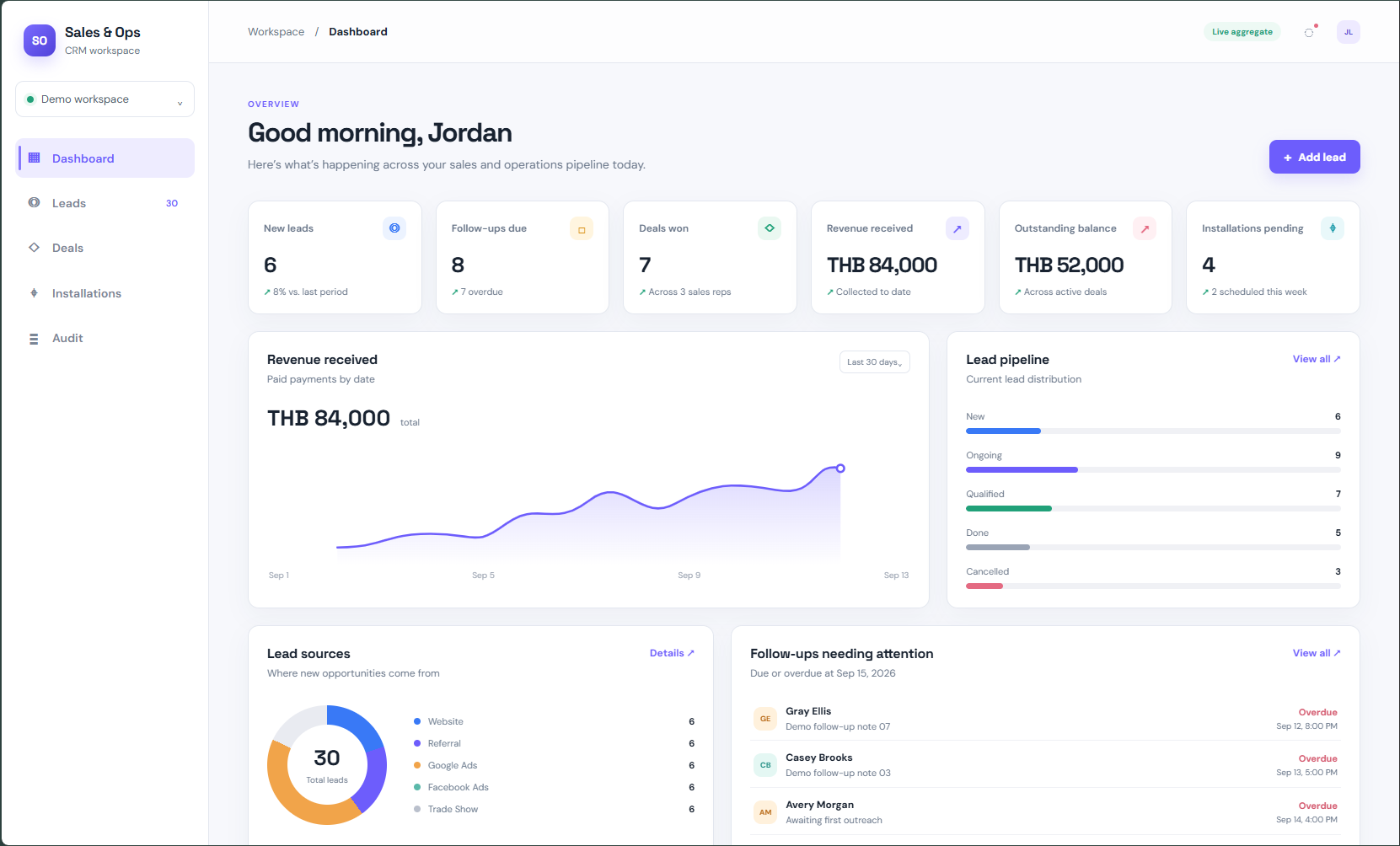
Sales and operations CRM dashboard showing aggregate KPIs, revenue, lead pipeline, and follow-up visibility
Dashboard proof · synthetic public demo with live aggregate indicator
Public-safe boundary: the public demo uses synthetic or sanitized records. KPI summaries use a live aggregate path from the Google Sheets operational layer via Apps Script; record-level public demo views are synthetic. This is not row-by-row live sync.

03 · Problem

When ownership is fragmented, visibility arrives late.

Lead information, follow-up, payment state, and installation coordination can become disconnected across people and tools. That makes handoffs easy to miss and management visibility dependent on manual checking.

The business problem is the blind spot between stages—not the absence of another screen.

04 · Solution

A workflow that makes the next responsible action visible.

The system organizes the lead-to-installation path into connected operational stages, with ownership and history available where decisions happen.

LeadCapture and qualify
Follow-upKeep next action visible
Deal / PaymentTrack commercial state
InstallationCoordinate delivery
AuditInspect history
VisibilitySupport management

05 · Key features

Built around the moments that need less ambiguity.

01

Lead management

Keep the starting context and ownership clear.

02

Follow-up visibility

Make the next action easier to find and maintain.

03

Deal and payment tracking

See commercial progress without losing the operational thread.

04

Installation coordination

Connect delivery activity to the originating work.

05

Audit history

Preserve an inspectable account of meaningful changes.

06

Management dashboard

Surface the state of operations for timely review.

06 · Visual proof

Curated proof from the working surface.

A small set of readable proof images keeps the workflow inspectable without turning the case study into a tiny screenshot gallery.
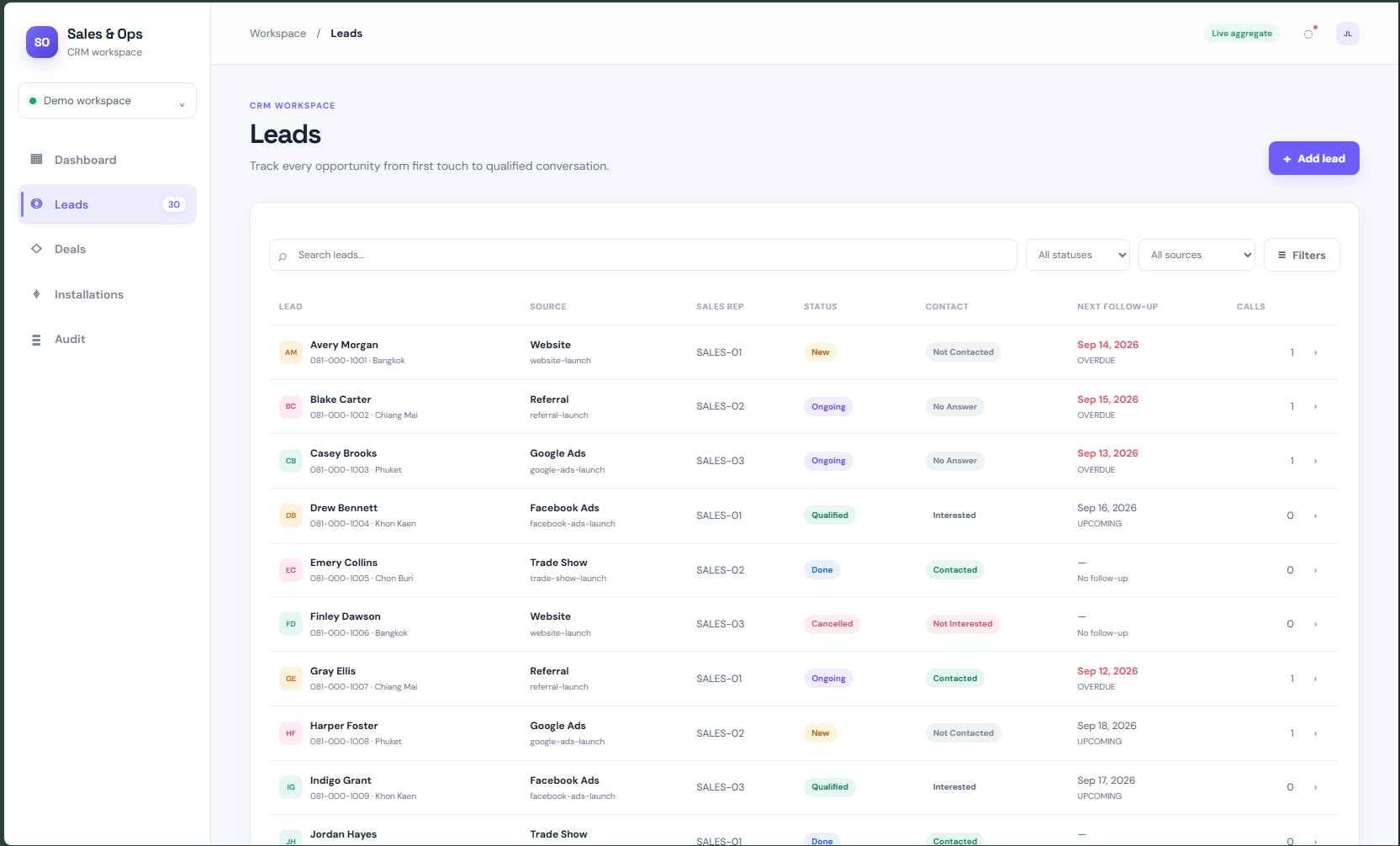
CRM leads list showing lead source, sales representative, status, contact state, and next follow-up
Leads · ownership and follow-up visibility
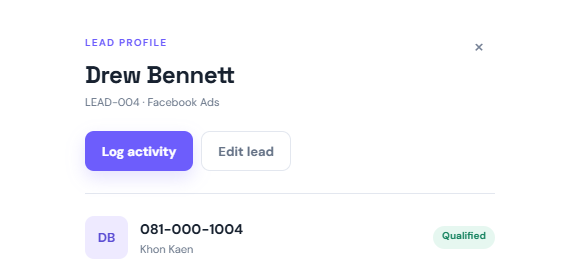
CRM lead detail view showing a synthetic lead profile, phone number, source, and qualification status
Lead detail · focused record context
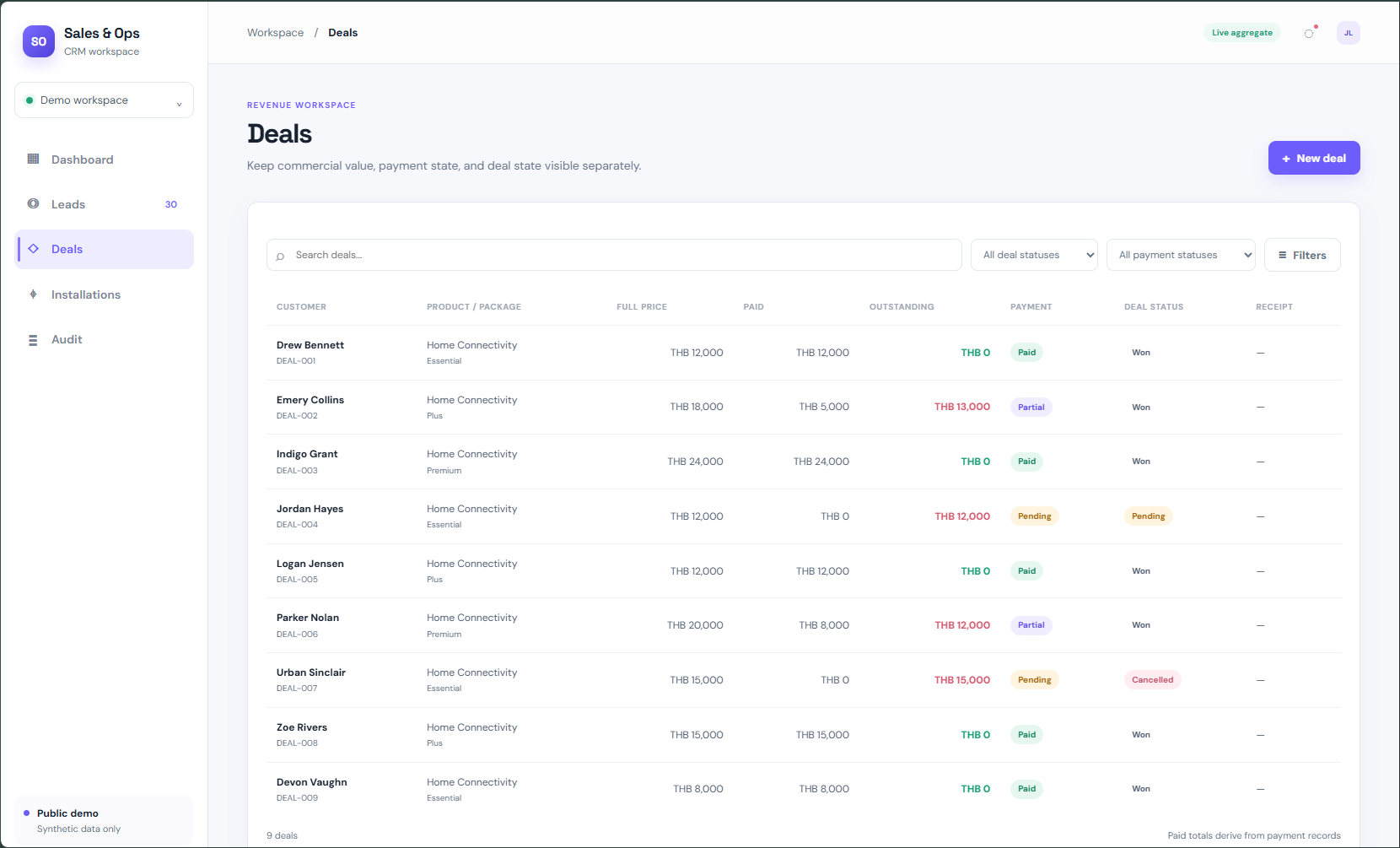
CRM deals view showing customer, package, price, paid amount, outstanding balance, payment status, and deal status
Deals · commercial and payment state
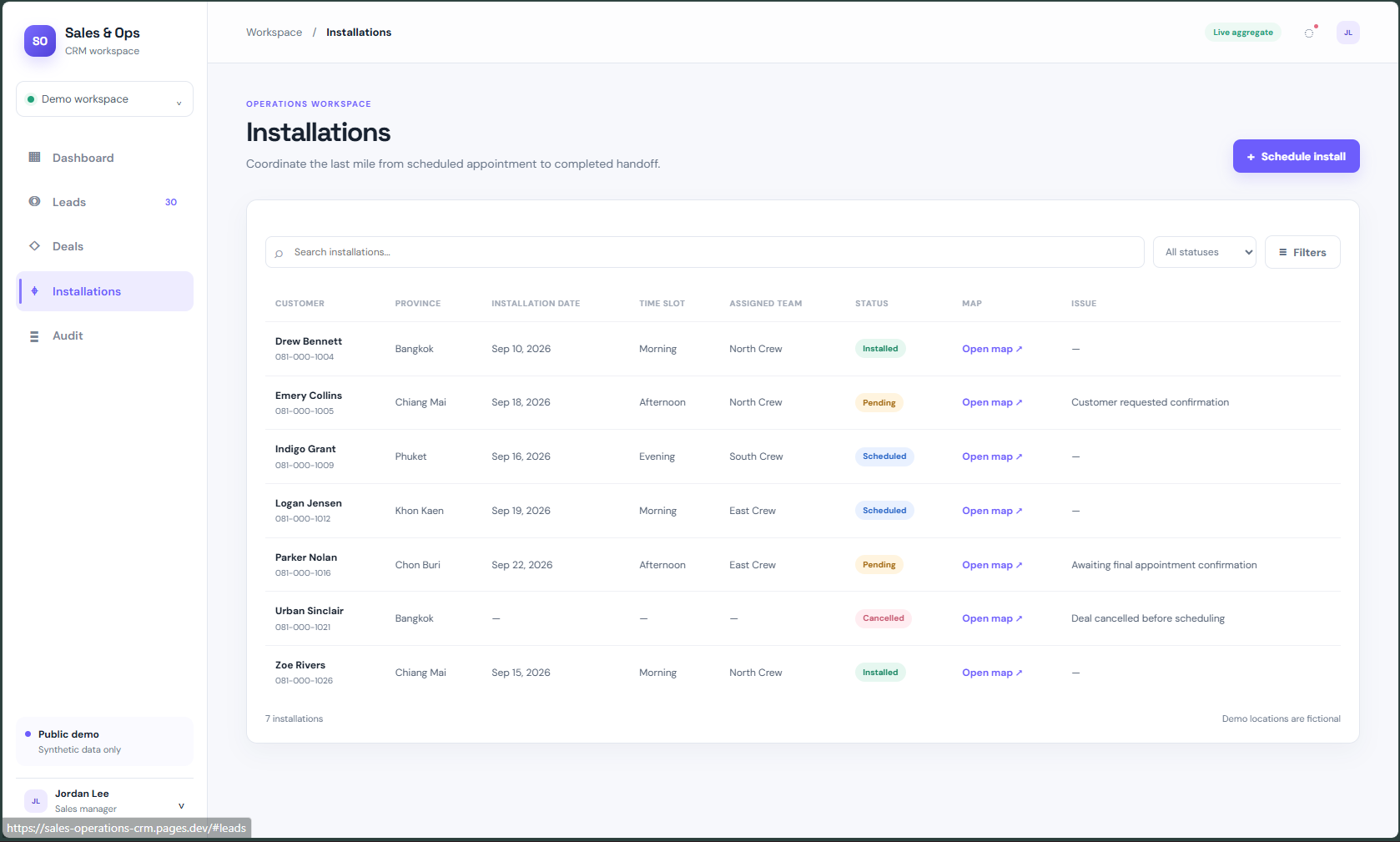
CRM installations view showing customer, province, installation date, team, status, and issue state
Installations · delivery coordination
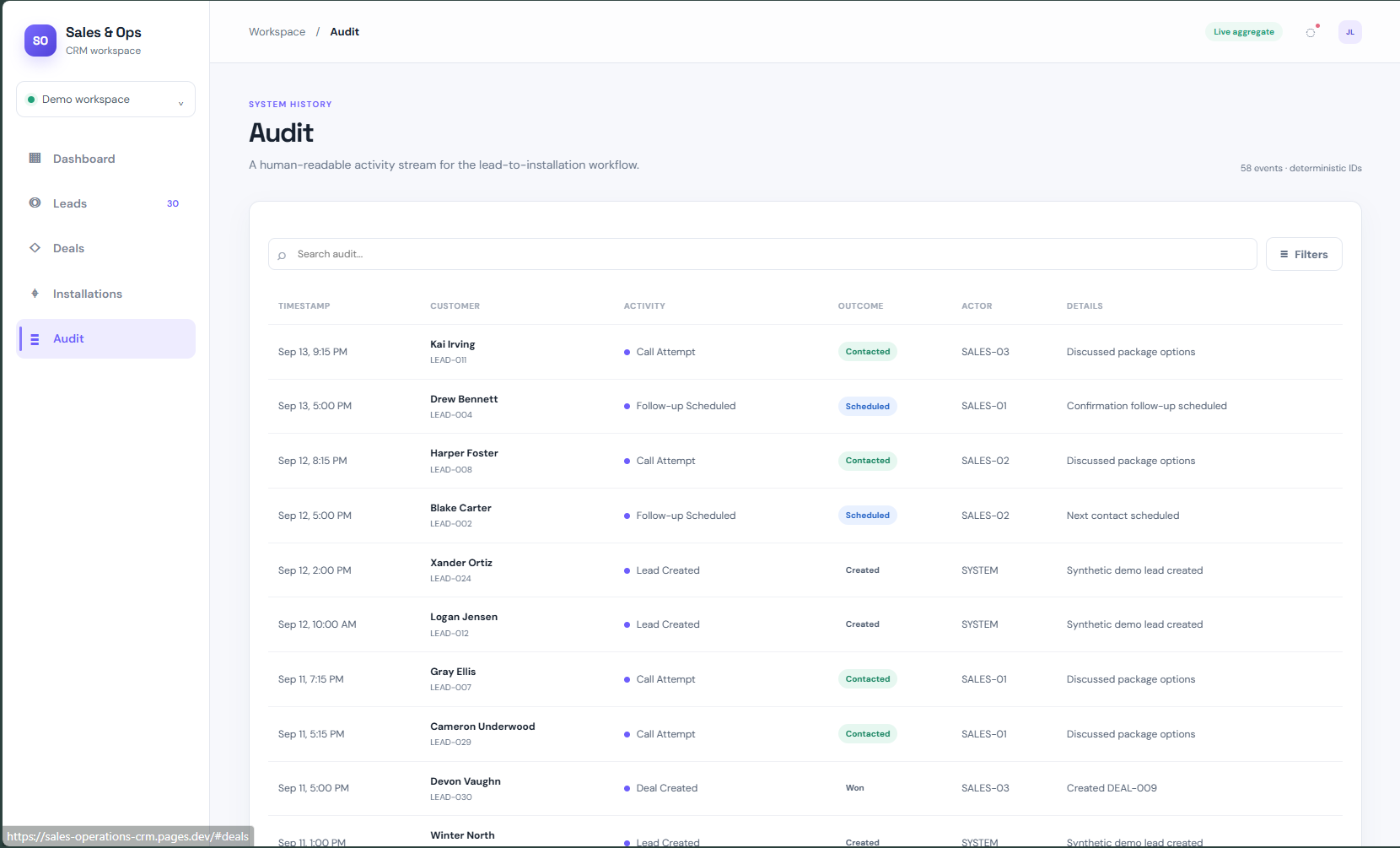
CRM audit history showing timestamps, synthetic leads, activities, outcomes, actors, and notes
Audit · inspectable activity history
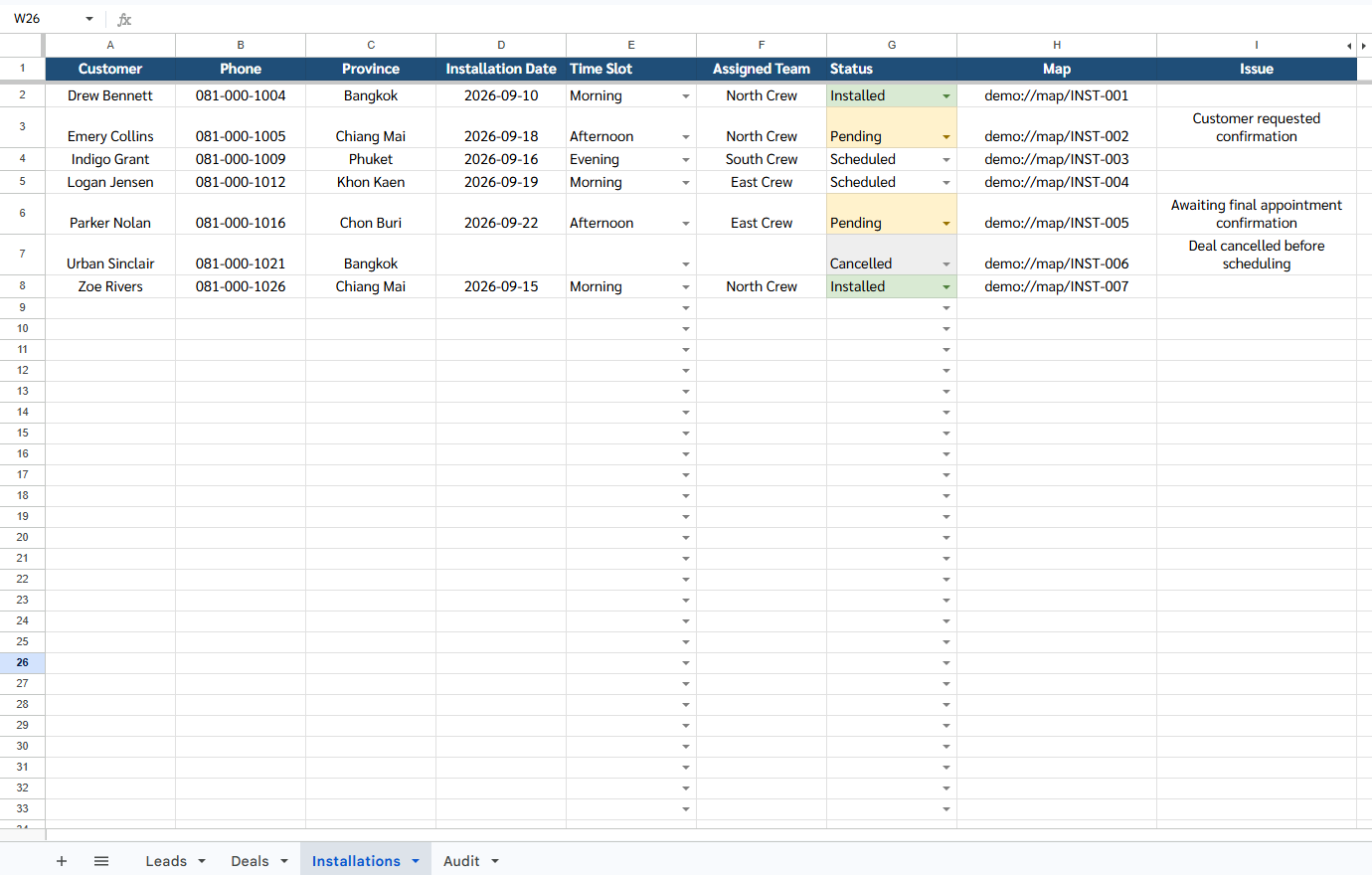
Google Sheets operational installations view showing synthetic customers, phone numbers, dates, assigned teams, statuses, maps, and issues
Sheets operational proof · installation layer

07 · Business value

Less guessing at the edges of the process.

Clearer visibility

See operational state without stitching together separate updates.

Cleaner handoffs

Keep responsibility visible as work moves between stages.

Fewer blind spots

Make follow-up, payment, and installation state easier to inspect.

Better discipline

Support consistent follow-up and clearer review habits.

Inspectable history

Give changes and decisions a traceable operational context.

Coordinated delivery

Connect commercial progress with installation readiness.

08 · My role

From workflow model to proof.

  • Solution design
  • Workflow modeling
  • CRM architecture
  • Synthetic demo architecture
  • Frontend implementation
  • Apps Script / Sheets operational layer
  • Proof capture
  • QA and deployment

09 · Tech stack

Lightweight by design.

Technical choices support the workflow and its proof surface without turning the portfolio page into a product rebuild.

HTML / CSS / JavaScriptCloudflare PagesGoogle SheetsGoogle Apps ScriptGitHubSynthetic CRM dataReusable CRM contracts

10 · Proof links

Review the working surface.

11 · Next step

Build the view your team is missing.

CrystalMind can help turn a fragmented operational path into a system people can actually use.

Back to home
Contact setup in progress.